基础知识点
1.循环
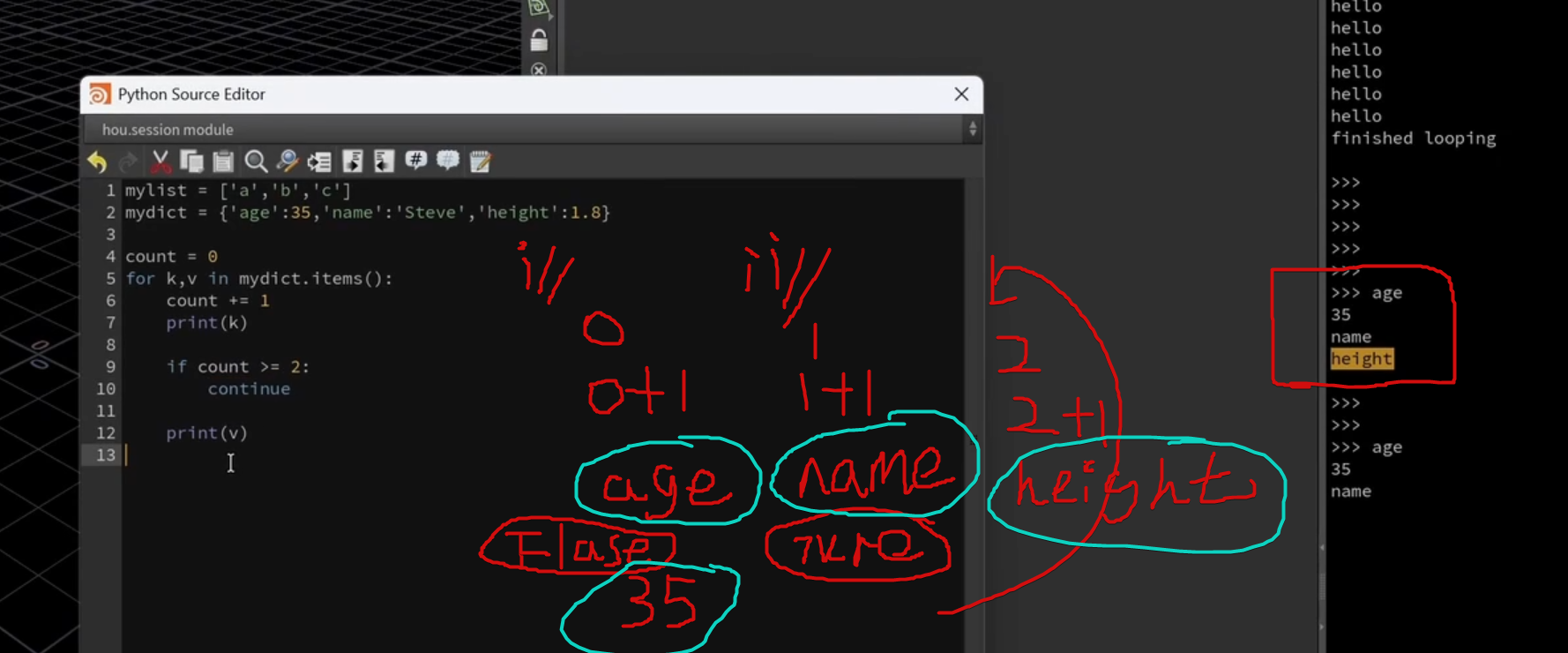
1.continue:如图所示 continue表示不进行下面的内容了(返回上游执行)
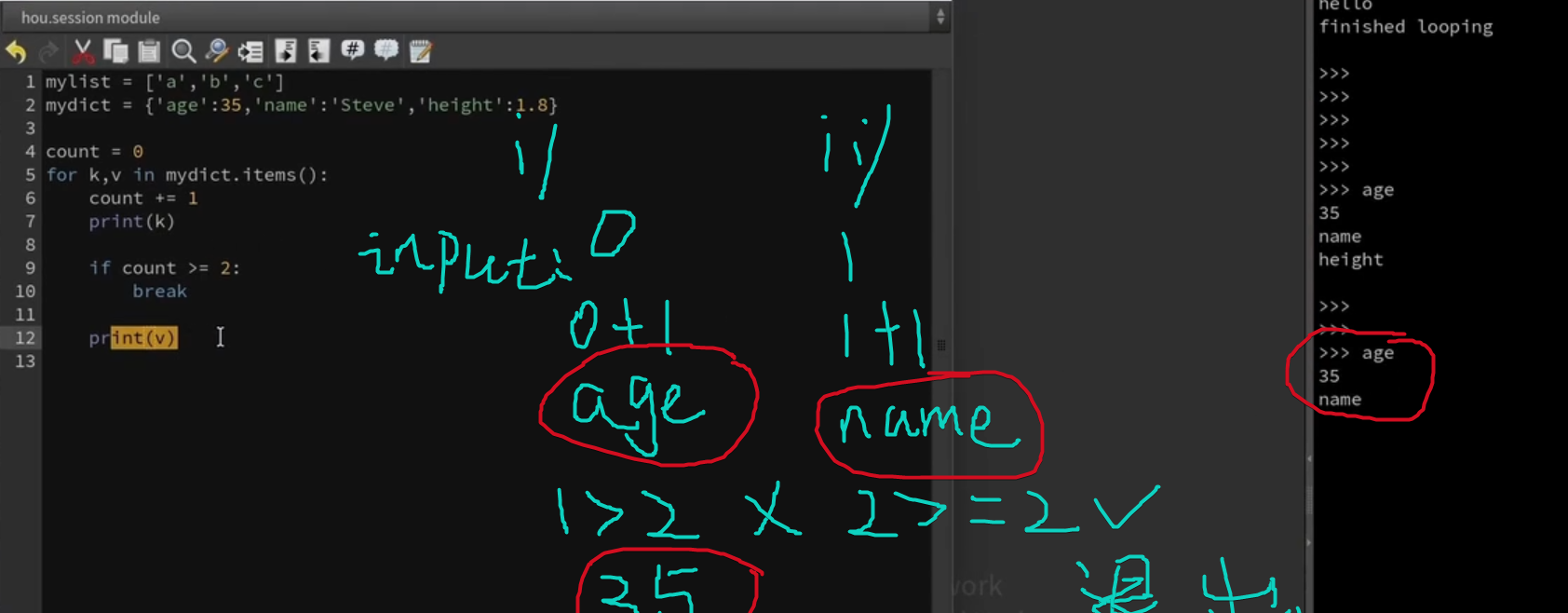
2.break:直接退出循环
3.enumerate 枚举
mylist = ['a','b','c']
for i,x in enumerate(mylist) :
    print(i)
    print(x)
结果:
0a
1b
2c
i:第几次,循环 x:结果
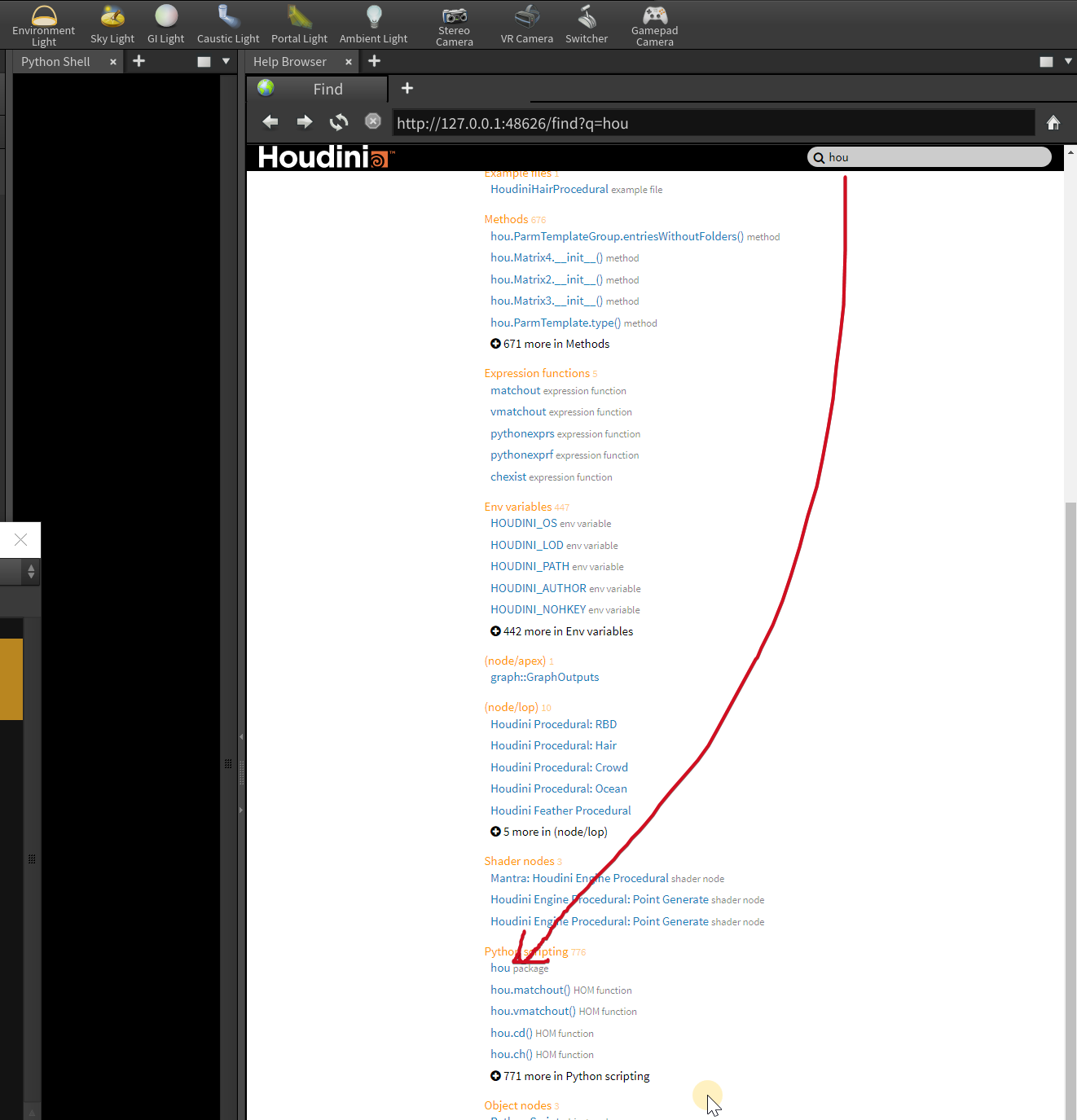
2.文档(houdini)
3. 类:模块:方法
大致 小字母没括号:模块 小字母带括号:方法 大写没括号:类 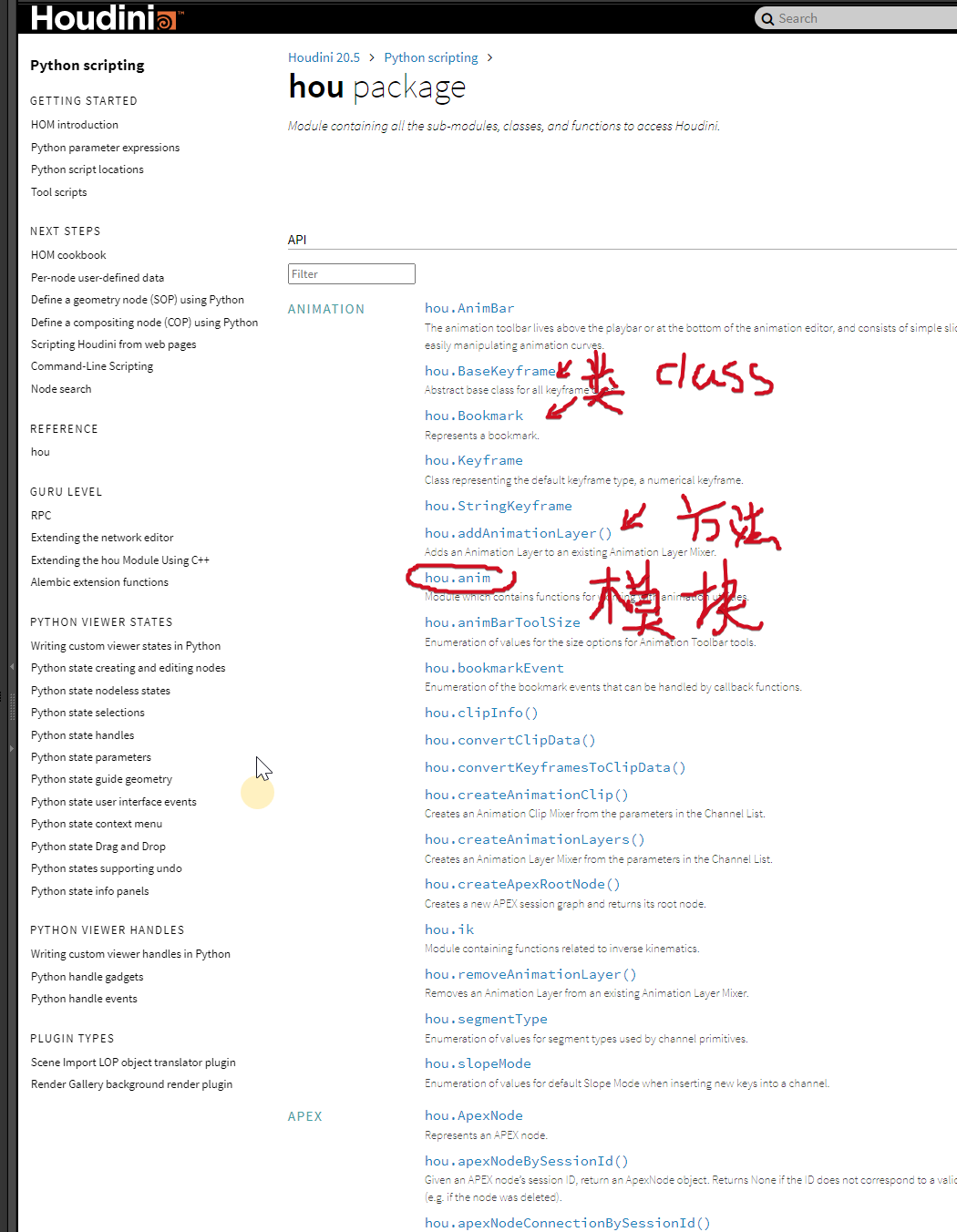
- 📌一模块(Module)
一个 .py 文件就是一个模块。里面可以放变量、函数、类,只要别空着。
- 📌 二、类(Class)
类是一种蓝图,用来生成对象(实例)。
- 📌三、方法(Method)
方法 = 写在类内部的函数,并能操作对象数据(self)
类比:
模块 = 房子
类 = 房间
方法 = 房间里的工具
4.houdini中
exec
把对象字符当作代码处理,并执行
exec(hou.pwd() .evalParm( '对象栏lab'))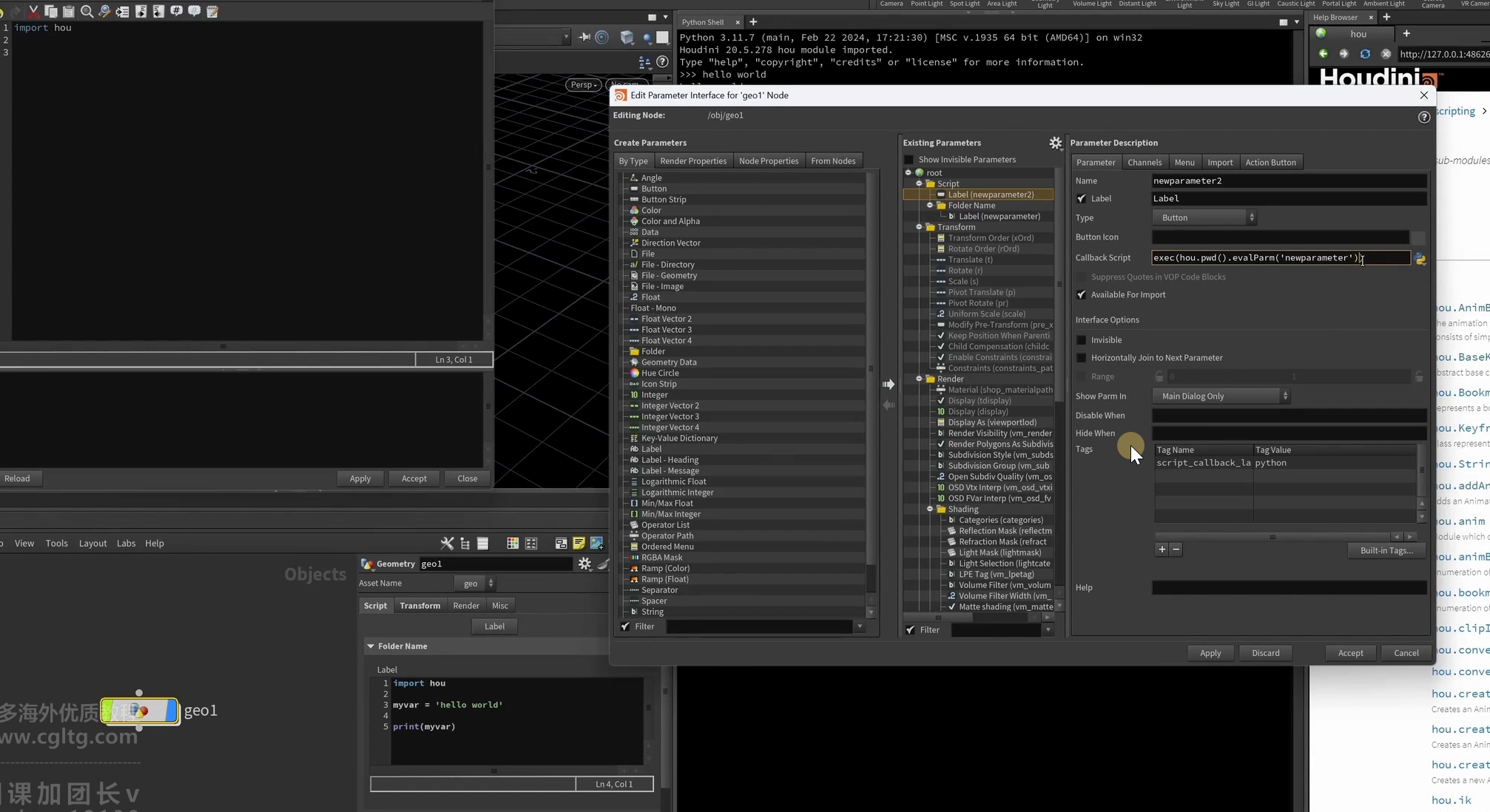
keyword
keyword arguments 关键字参数(理解为怎么触发的?点击工具按了啥) eg:
import hou

if(kwargs['ctrlclick']):
    print('ctrl')
if(kwargs['shiftclick']):
     print('shift')

print ('hello')
hda
回调函数 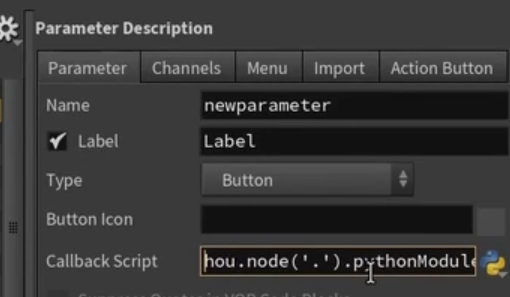
hou.node(".").pythonModule____(简写)hou.pwd().hm() ____(在简写)hou.phm()
tip:hm(houdini Module 这里吧pyton方法和hou方法并称了) hou.phm().mymethod("aa") 函数指向的就是下图: 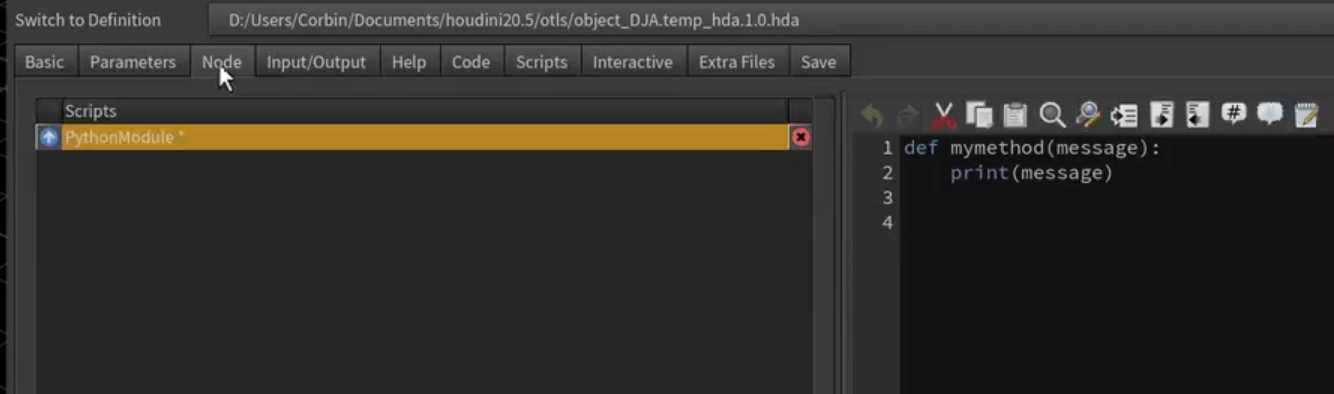
rop(wedge_old)
这样每次跑rop的时候他都根据 名字更新版本 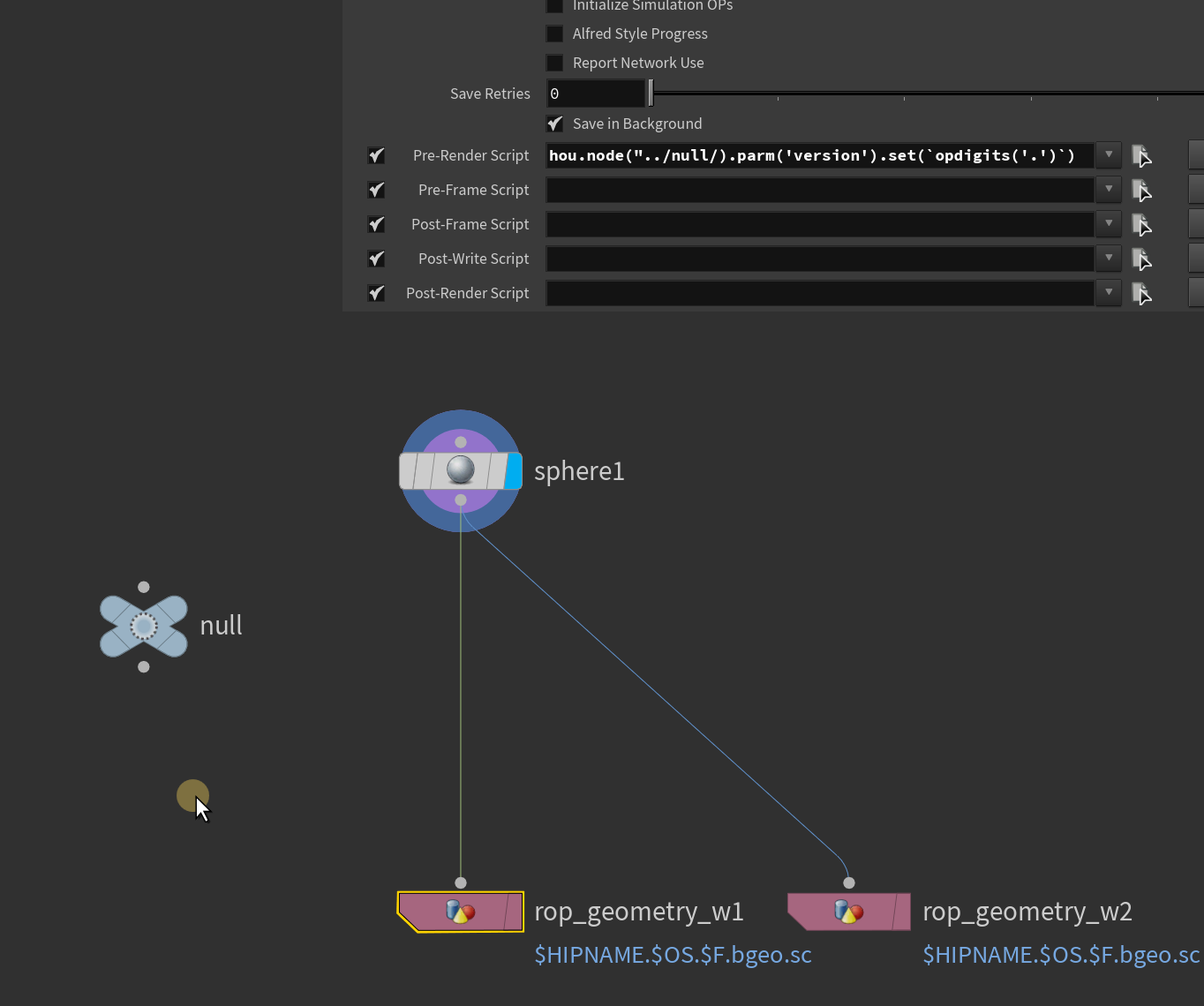
hou.node("../null/).parm('version').set(opdigits('.'))注意:在fliecache引用的时候 这样是错误的❌为什么呢? 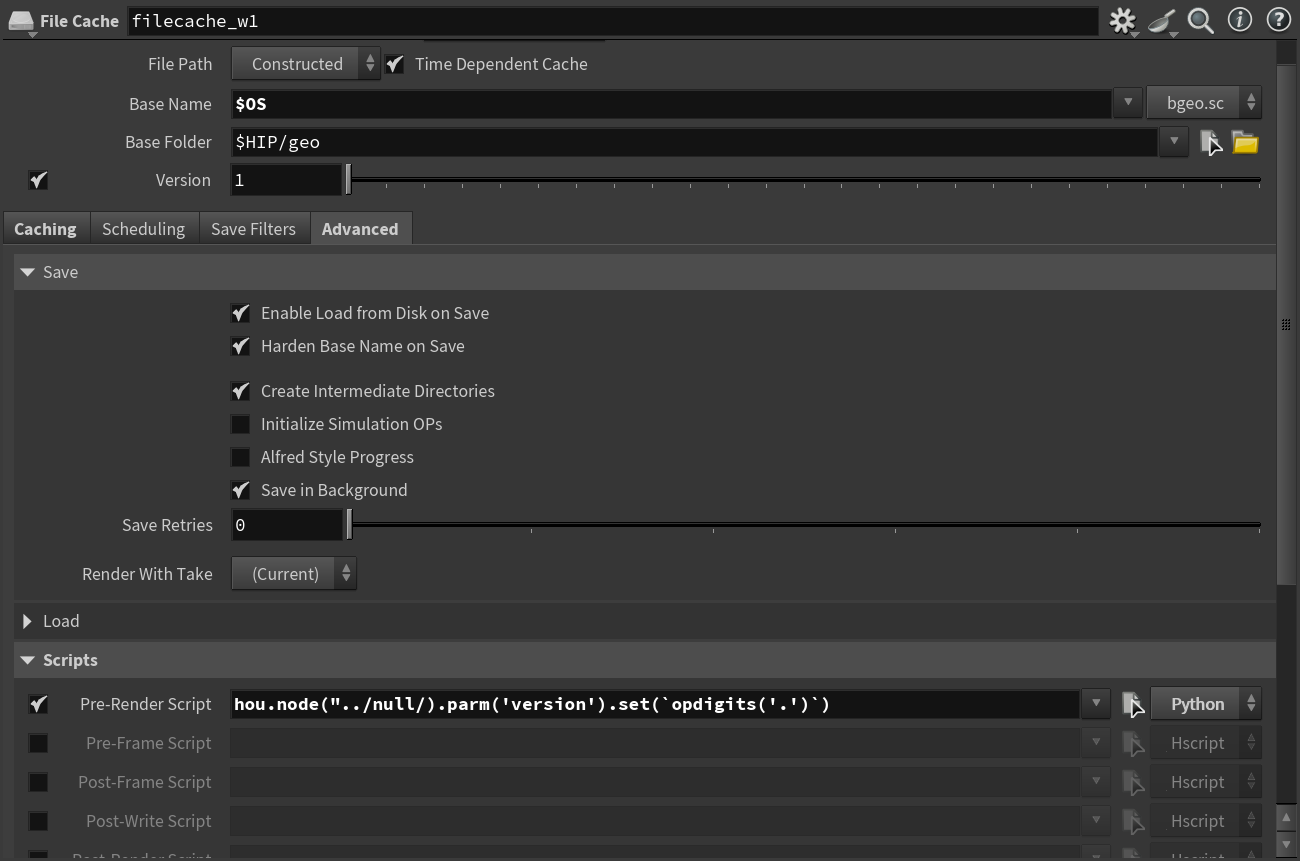 因为实际引用的是里面的render节点层级变了读取失败的
正确的是:hou.node("../../null/).parm('version').set(opdigits('.')) 或者绝对路径 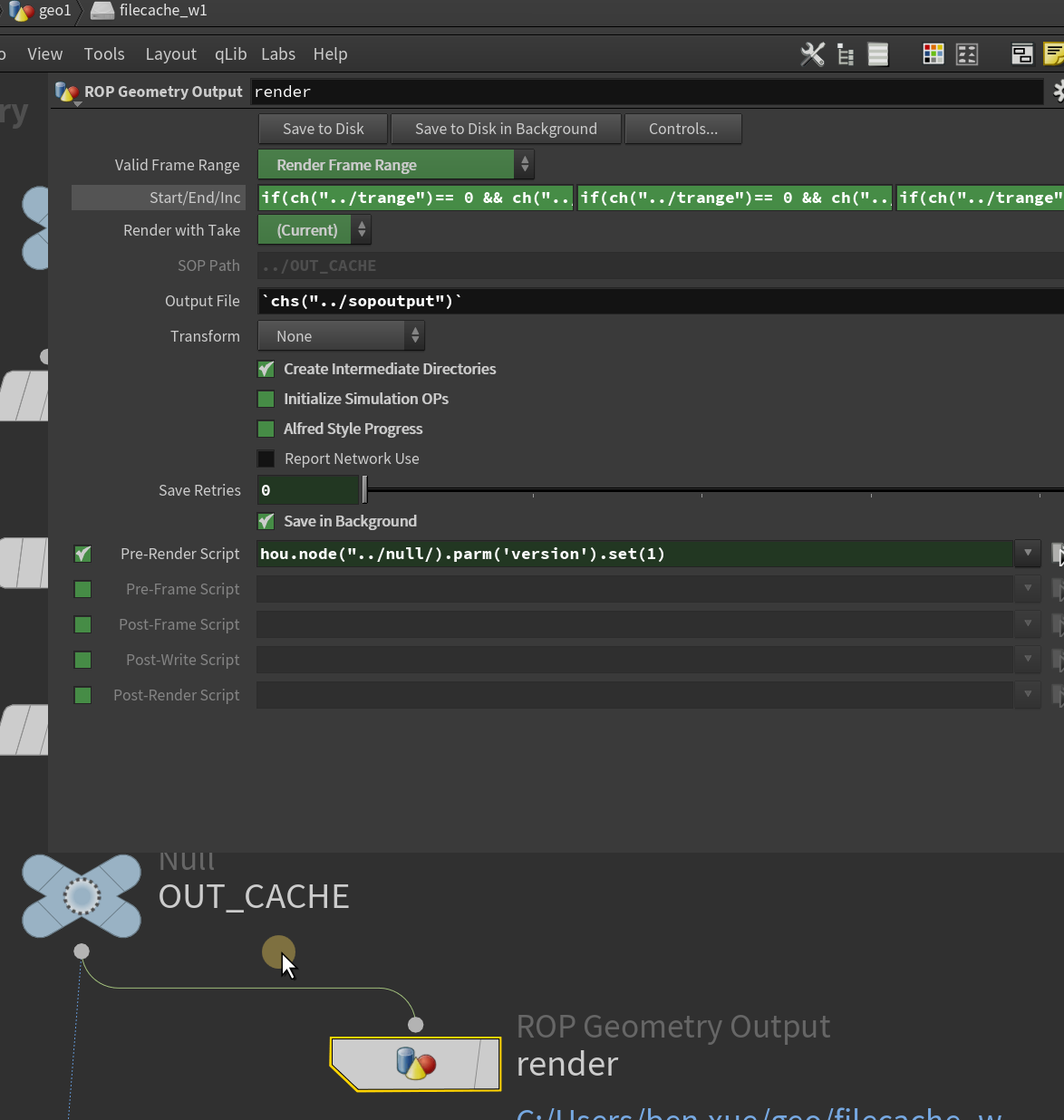
format+
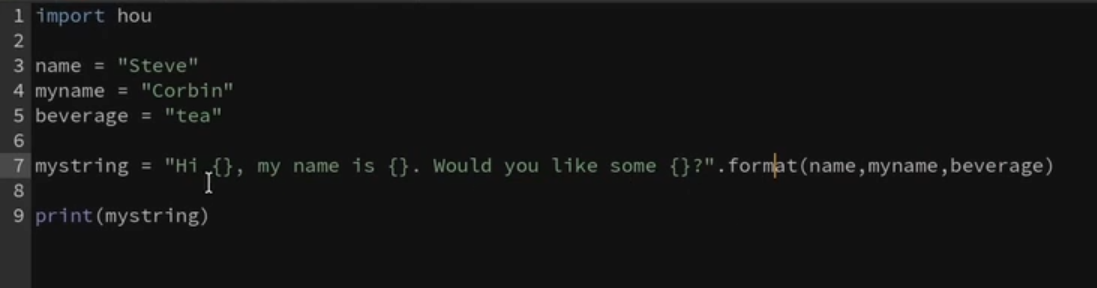
- ✔
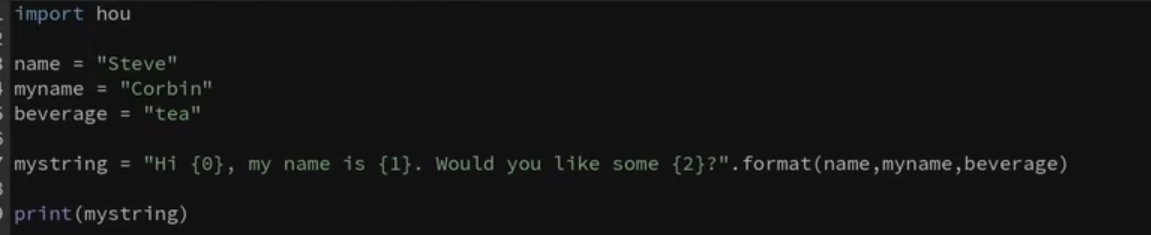
- ✔
字典
tip:**是解包 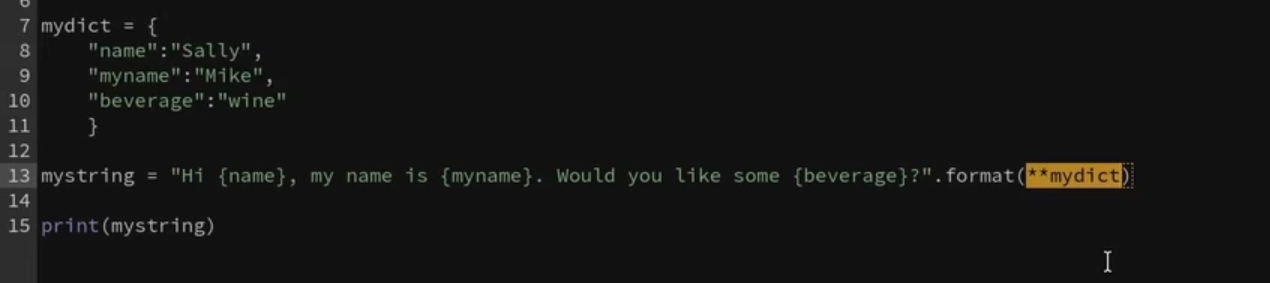
{}和{0}不能混用
这也不行的  会报位置错了
 ✔

关于路径
import hou
mystring = "{path}/{filename}.{frame:=010}.{ext}".format(
    path="C: /some/location/on/disk",
    filename='myfile',
    frame=-48,
    ext='bego.sc')
#[[fill]align] [sign] ["0"] [width] [thousand] ["." precision] [type]
print(mystring)
规则是这样的: #[[fill][align] [sign] ["0"] [width] [thousand] ["." precision] [type] ]
align 对齐方式 (> < = 0 ^)
sign + / - /空格
0 什么符号隔开(一般是0)
width 隔开距离
thousand 千为分格符 (,/_)
"." precision 精度
type 类型

eg:.4f 小数点后4位 b2进制 o8进制 f不使用科学计数法
eg: >:右对齐 <:左对齐 ^:中间对齐 =:数字右对齐 (0填充默认等号对齐,自动右对齐)

- 如果直接打印数字

会发现结果 没有对齐的
那我们加个空格呢:mystring ="my number:{: }".format(-48)
上下对齐了

import hou

mystring ="{message:=^70}".format(message="Warning!Geo not selected!")
#[[fill]align] [sign] ["0"] [width] [thousand] ["." precision] [type]
print(mystring)
print('balabala')

print ("="*70)

#or
#mystring = "\n{heading:=*70s}\n\t{message} \n{end:=*70s}".format(
#heading="Warning! Geo not selected!",
#Something went wrong",
#end=""
#)
#print(mystring)
import hou
test = "This is a test string. Use this to test how regex works on strings."\
"\n \tIt is a very powerful string searching tool."
print (test)
## \n 换行  t缩进
re
正则表达式 网站:正则测试 https://regex101.com/
待看M1_14 _15
hou.OpNode
hou. asCode (把节点变为pyhton代码)(类似可以实现之前可以不同用户复制节点的工具) 类似拖到上面
hou.FloatParmTemplate
eg:创建一个float:foo函数按钮
import hou

node=hou.node('/obj/geo2')

group=node.parmTemplateGroup()

button=hou.FloatParmTemplate('foo','Foo',1)

group.append(button)

node.setParmTemplateGroup(group,True)
5.关于ai api调用
import hou
import requests
import json
import re

def call_deepseek_api(node):
    # 获取参数值
    api_key = node.parm("api_key").eval()
    question = node.parm("question").eval()

    # API配置
    url = "https://api.deepseek.com/v1/chat/completions"
    headers = {
        "Content-Type": "application/json",
        "Authorization": f"Bearer {api_key}"
    }
    payload = {
        # "model": "deepseek-chat",
        "model": "deepseek-reasoner",
        "messages": [
            {
                        "role": "system",
                        "content":  "你是一个Houdini VEX专家,请:\n"
                        "1. 仅返回可运行的VEX代码\n"
                        "2. 使用@attribute语法\n"
                        "3. 不要包含任何解释\n"
                        "4. 代码要简洁高效\n"
                        "5.使用@变量语法"
                    },
                    {"role": "user", "content": question}
                ],

        "temperature": 0.0
    }

    try:
        # 发送请求
        response = requests.post(url, headers=headers, json=payload)
        response.raise_for_status()

        # 解析响应
        answer = response.json()["choices"][0]["message"]["content"]
        answer=re.search(r"```vex(.*?)```", answer, re.DOTALL)
        answer=answer.group(1).strip()
    except requests.exceptions.RequestException as e:
        answer = f"API请求失败: {str(e)}"
    except (KeyError, IndexError):
        answer = "响应解析错误,请检查API格式"

    # 更新答案参数
    node.parm("answer").set(answer)
button 按钮 CallBack:
hou.pwd().hdaModule().call_deepseek_api(hou.pwd())ai温度0-1-∞ 理性——感性